



What Are Content Pillars? Find Your Next Post (2026)
SUMMARY
It is closing time, you still have not posted, and another discount feels tired. Your products and the questions customers ask can give you better subjects. Using bakery, clothing-shop, and local-service examples, this guide shows where to find your next post, how to give a familiar product a different buying reason, and what information to hand over for production. Start with suitable photos you already have; Stillmore can turn them into finished visuals and copy while you get back to running the business.
Lan He

Contents

Content pillars are recurring subjects you use to decide what to post about. For a small business, they can be as familiar as the products customers ask for, the questions you answer at the counter, and the work that makes your shop worth visiting.
It is closing time. You meant to post something, but the photos on your phone look like last week's photos. Another discount feels tired. Making a video sounds like a job for a quieter day. Having a few reliable subjects gives you somewhere to start: the filling people cannot see, the outfit someone asked about, or the reason a regular always orders the same thing. There is often more to show than you think.
- Use real customer questions to find worthwhile subjects.
- Revisit a product with a different detail or buying reason.
- Keep the creative work manageable enough to get the post made.
What Are Content Pillars When You Run a Shop?
Think of them as a few drawers you can open when you need an idea. A bakery might keep one for the food, one for occasions to buy it, and one for questions customers ask. "Food" gives you the filling inside a croissant. "Occasions" gives you a box to take to a weekend breakfast. "Questions" gives you the ordering information people need for a larger collection. Each subject leads to a different post, even though the bakery still sells the same pastries. You are finding different reasons for people to choose something already on your counter.
Use names that make sense without a marketing explanation. "What fits in this bag?" is easier to work with than "educational thought leadership." "What can I wear this with?" points toward an outfit photo. A pillar is the recurring subject; today's post is one answer within it. This meaning is separate from an SEO pillar page, which is a substantial website article linked to related pages. You can leave that website terminology aside when choosing tomorrow's shop post. The useful test is whether a subject helps you pick a photo and say something a customer would care about.
Why Content Pillars Help When You Have Run Out of Ideas
Sprout Social's April 2026 guide to social media content pillars describes using recurring themes to organize posts. A real bakery example shows why the everyday work can be worth sharing: in TikTok's May 2026 small-business showcase, Angel Baked NYC founder Abbey Kowalec said a day-in-the-life video took her account from 100 to 50,000 followers in three days. That is a founder-reported audience result, not a sales figure or proof that a pillar plan caused the growth. The subject was the work of a cookie artist, something already happening inside the business. For another bakery, the useful question is which part of its own work customers rarely get to see.
You do not need a fresh launch every time you post. A familiar item can answer a new question, fit a different occasion, or reveal a detail that was missing from the last photograph. That gives the feed more substance than repeated announcements that you are open. It also makes production easier to hand over. A clear subject such as "show why this bag works for a day out" tells a creative team more than "make us something engaging." The team has a direction, and you can supply the product facts without writing a script or inventing a campaign from scratch.
Content Pillars in Practice: One Pastry, Several Reasons to Buy
Picture a bakery with a good croissant photo and little time to post. One useful subject is what is inside: a clear filling photo can help someone choose it. Another is when to buy it: a box of pastries can introduce breakfast to share. A third is what customers need to know before ordering: the available selection and collection details. Each needs accurate information, but none requires the bakery to invent a new product. Stillmore can turn suitable photos into finished images or videos with matching social copy, with the team handling production and review. The owner can choose a direction or leave ongoing creative choices with the team.
Here is a practical way to brief those ideas. These suggested posts accompany frames from a Stillmore bakery sample. Stillmore's creative workflow explains the handoff after you provide the material. You can request one subject at a time. Start with the one you have photos for and can sell now. A useful brief says what the customer should notice, which details must be accurate, and where the post should send them. The production team can make the visual decisions from there.
| A subject to return to | A post you could request | What you already need to know |
|---|---|---|
| What makes the pastry worth trying | Show the filling with a clear product view | Correct flavor and current availability |
| When customers might buy it | Present a box for a shared breakfast | What is in the box and how to order |
| Questions before buying | Show today's selection and collection details | The actual ordering and collection arrangements |
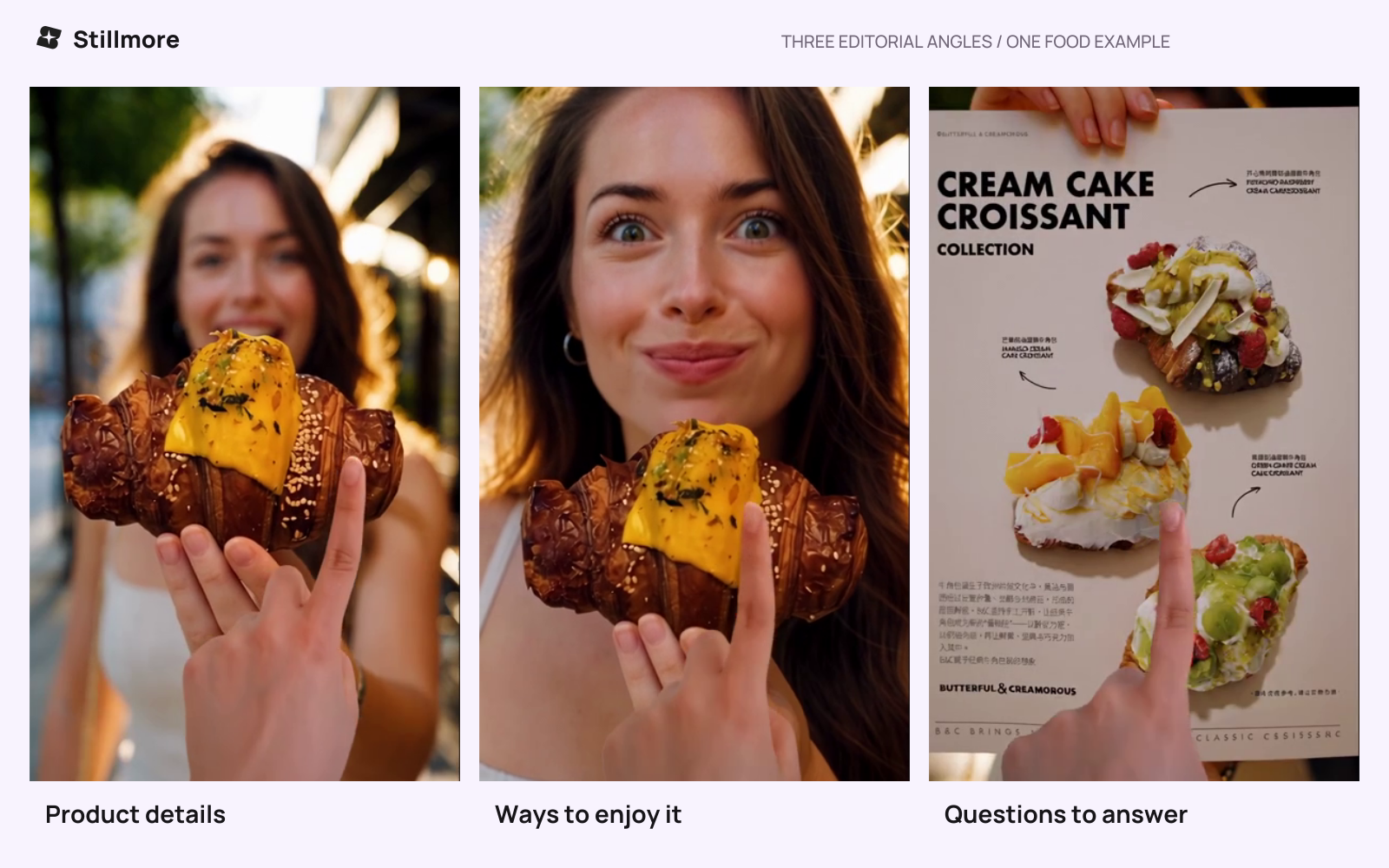
Product details, a serving moment, and the menu suggest different subjects for a bakery's posts. Frames from a Stillmore sample.
Content Pillars, Formats, and Calendars Without the Extra Homework
The subject tells you what to say; the format is the photo or video that says it; the calendar tells you when to post. A shop introducing a jacket already knows the product and when it arrives. Do customers need to see the fit or an outfit idea? Stillmore can handle the visual production from suitable material, so you do not have to turn that decision into an editing assignment before getting help.
| Planning decision | Plain-language question | Clothing-shop example |
|---|---|---|
| Content pillar | What do customers keep wanting to know? | What to wear with our everyday pieces |
| Individual post | What will we show this time? | A new jacket with a familiar outfit |
| Format | What would show it clearly? | An image or a short product video |
| Timing | When can someone buy it? | While the featured color is in stock |
There is no need to assign a fixed share of your posts to each subject. If a new product matters this week, give it attention. When that announcement is finished, return to the questions and details you already have. A short note beside a photo can hold enough context: "Customers ask whether a laptop fits. Show the inside and confirm the dimensions." That is more usable than a blank calendar full of slots. Include the business facts the caption needs.
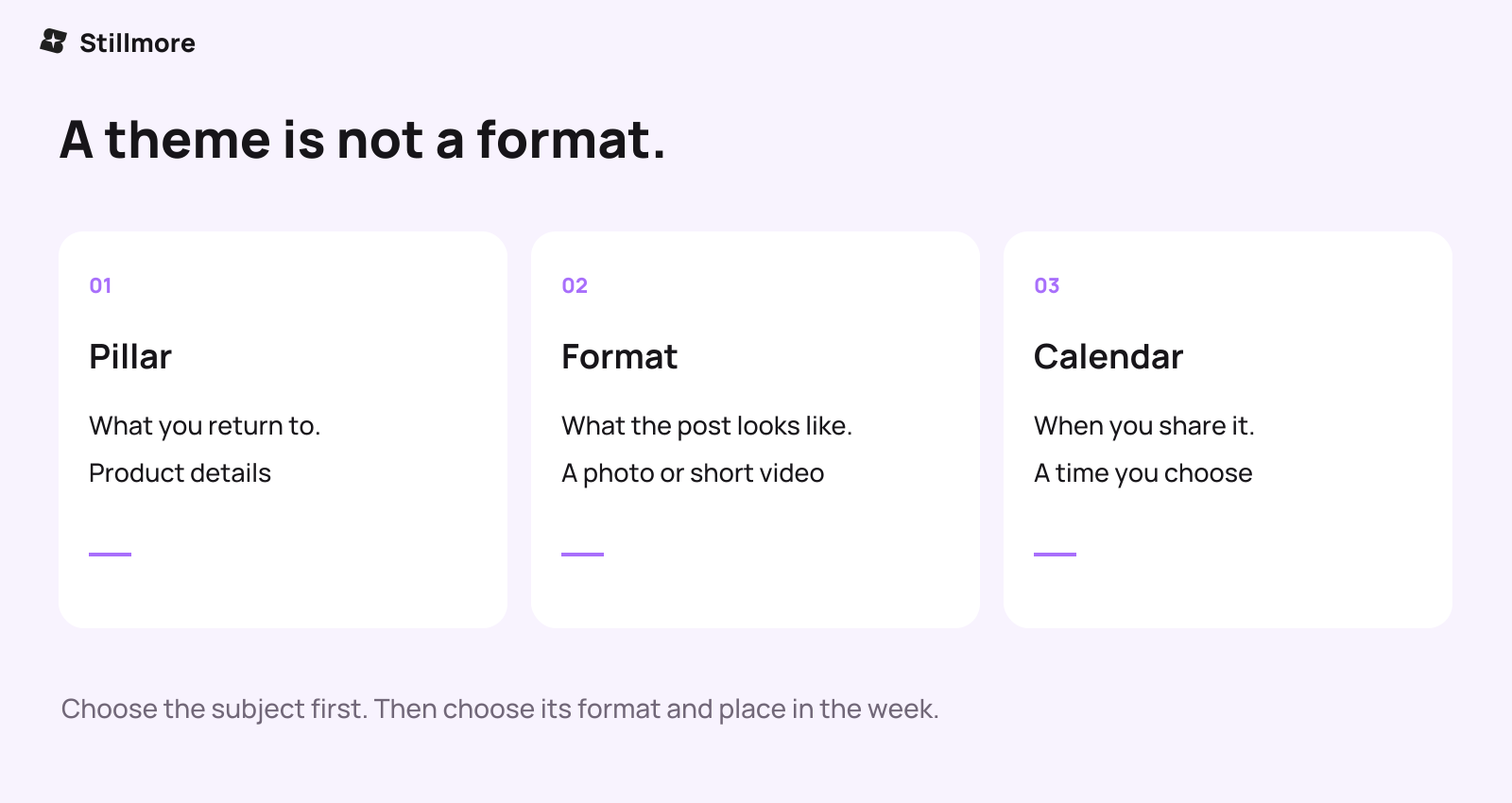
Choose the subject first. The image or video and the publishing date can follow from it.
Find Subjects in the Questions Your Customers Already Ask
For a cafe, listen for "What's in that?", "Can I take it away?", or "Where can we sit?" The replies point to a product detail, a takeaway order, or a welcoming view of the space. For a boutique, fit and outfit questions can turn the same stock into several useful posts. A small product brand can show size, packaging, or a familiar use. A local service business can explain what customers will walk into and what an appointment includes. Choose a question you can answer with accurate information and suitable photos.
The aim is to make buying easier. A cafe's "weekend breakfast" post needs a place and time to visit. A shop's outfit post needs a way to find the featured pieces. A service introduction needs a working booking route. When you check the finished content, follow that route yourself. If people keep asking the same question afterward, the next post has a ready subject. Note requests for an item by name, too. These responses are more useful for deciding what to make again than treating every like as evidence that someone is going to buy.
Getting Started With the Photos Already on Your Phone
Choose one product or service you want more people to notice. Find a clear photo of it, then think of a question customers ask before choosing it. That gives you the subject and a starting image. If a missing angle or detail is essential, add it; otherwise, use the suitable material you already have. You can keep a short list of other questions for later without planning every post now. Get one worthwhile piece finished, then choose another.
What Stillmore does for small businesses explains the service behind that handoff. Send the relevant photos and business details, choose an Inspiration if you have a style in mind, or leave ongoing creative selection to the team under your setup. You receive checked images or videos and matching copy, ready for you to publish. This takes production off your list; it does not automatically include managing your account or building an entire marketing strategy. After posting, keep the questions and inquiries that come back. They can help you decide what to show next without another planning exercise.
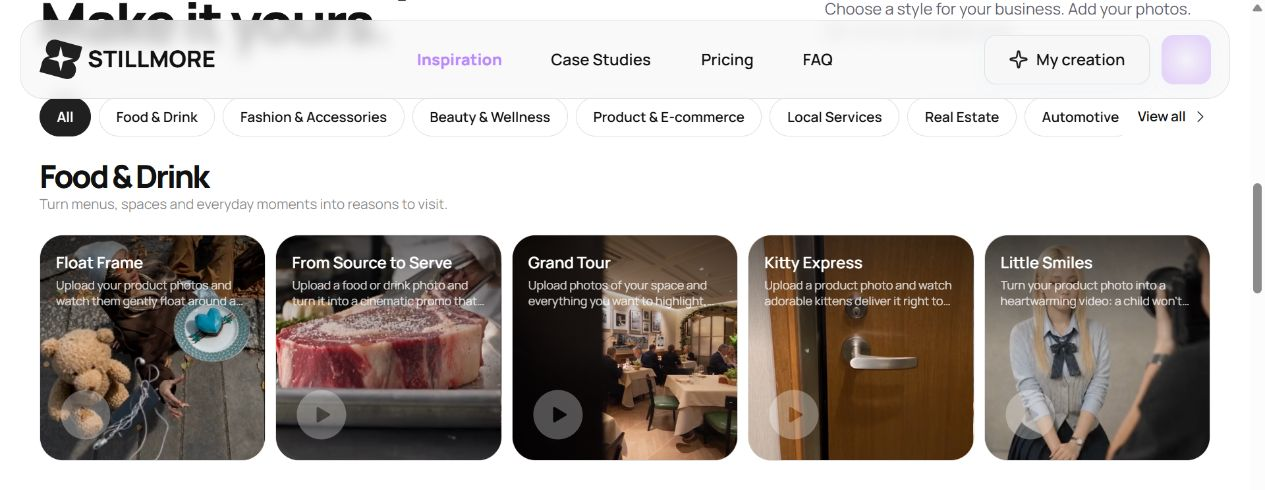
The Food & Drink Inspiration collection offers different visual directions for a product you already want to feature.
Conclusion: Have a Useful Answer Ready for Tomorrow's Post
Content pillars give you familiar places to look for a worthwhile subject. Start with something customers ask about, show the detail that answers them, and make the next step clear. If the idea is there but the finished content is not, find an Inspiration for your next post. Stillmore can handle the production while you get back to the business behind it.
FAQ
Do I need a content strategy before I can use Stillmore?
You can begin with suitable photos, correct business information, and a subject you want to feature. Choose an Inspiration if you have a direction in mind, or let the team handle ongoing creative choices under your service setup. A complete calendar is not a prerequisite for a single request.
What can I post if my products rarely change?
Return to different customer questions: what is inside, how large it is, what goes with it, or when someone might use it. Make each post answer something specific, and use photos that support that answer.
How many content pillars does a small business need?
Start with a few subjects you can keep finding useful material for. Three can be a workable trial, but there is no required number. If two subjects keep producing the same posts, combine them.
Are content pillars the same as videos or a posting calendar?
No. A pillar is a recurring subject. Video is a format, and a calendar sets the publishing dates. A subject such as outfit ideas can appear in either photos or videos at different times.
Will a content-pillar plan increase sales?
It can make your posts more useful and easier to sustain, but the plan alone does not establish a sales result. Track inquiries, visits, bookings, or orders and consider the audience, offer, and buying route as well as the content.
Can I reuse photos for more than one post?
Suitable photos can support different creative directions and messages. A new product or an unseen detail may require additional material. Confirm that every post still represents the actual item and current offer.

About the author
Lan He
I'm Lan. Years of writing promotional and editorial work in the US, mostly for companies with big audiences and bigger expectations — where a single article might reach hundreds of thousands of readers, and where the good ones kept earning traffic long after the campaign ended. I learned what makes a page survive that: one clear audience, one real question, images that show the actual work, and a structure that keeps people reading. Now I write for small business owners who do everything themselves, answering the questions they actually ask: what's worth posting, which photos are worth taking, and how to tell one story across images, video, and words. I've seen good content carry a small company further than its ad budget ever did.
Give them a reasonto stop by.
Send us your phone photos. Get posts ready to share.
See what we can make
Keep exploring
All stories ↗- Social media
Outsource content creation: a small business guide
Outsourcing content creation means hiring someone outside your business to make a specific piece, such as an article or a product video. A café promoting its lunch special, for example, could send Stillmore a clear photo of the dish, its name, and the hours it’s available. The team turns suitable photos into a promotional image or video, writes the accompanying caption, and checks the work before delivery. The café owner checks the details against that day’s menu, then publishes the post. This handoff makes sense when you know what you’re selling and who it’s for, but editing keeps getting pushed aside. If you’re still choosing between bringing people in for lunch and taking advance orders, settle that first so the caption tells customers what to do.
- Social media
Short-Form Video Explained: From Views to Visits (2026)
You have products worth showing, but making a video is another job on an already full day. Start with the detail a customer would stop to look at: a pastry's filling, a jacket's texture, or the space they could book for dinner. This guide pairs a real restaurant example with practical ideas for your own business, explains when a photo is enough, and shows what to send Stillmore so the team can handle production. You will also know which inquiries and orders to track after posting.
- Social media
What Is Social Media Content? From Views to Customers (2026)
A useful social post gives someone a reason to notice your business and a clear way to buy, book, or visit. This guide looks at a barbecue restaurant with a video exceeding eight million views, a small jewelry brand, and Little Moons, with reported sales results and the context behind them. See what each business showed, which ideas you can borrow, and how to measure interest and orders. You will also see where Stillmore fits when you want your photos turned into finished visuals and captions.