



Short-Form Video Explained: From Views to Visits (2026)
SUMMARY
You have products worth showing, but making a video is another job on an already full day. Start with the detail a customer would stop to look at: a pastry's filling, a jacket's texture, or the space they could book for dinner. This guide pairs a real restaurant example with practical ideas for your own business, explains when a photo is enough, and shows what to send Stillmore so the team can handle production. You will also know which inquiries and orders to track after posting.
Lan He
Contents

Short-form video is a brief video built around one idea that makes sense on its own. For a shop owner, that idea can be simple: show someone the pastry they might come in for, the jacket they would like to try on, or the space they could book for dinner.
You probably have something worth showing already. The problem is getting a stranger to notice it while you are busy running the business. A photo sitting on your phone cannot do that job. A finished post can put the product in front of people, show what makes it appealing, and tell them where to find it. The useful question is what deserves that attention first.
- Choose something a customer can buy, order, or book.
- Show the detail that gives them a reason to care.
- Look for inquiries and orders after posting, alongside views.
What Is Short-Form Video Worth to a Small Business?
A good clip lets a stranger see what they would get. Consider a croissant photographed on the counter. Its name tells people what it is; a closer look at the filling gives them something to want. Add the bakery's location and when it is available, and the post becomes useful to someone deciding where to stop tomorrow morning. You do not need to introduce your entire business in that one video. Pick an item you can actually serve, and give it enough attention that a viewer could recognize it when they walk in.
That is also a useful test for a clothing shop. A rack of stock gives customers little help choosing. A clear view of one jacket, followed by its texture and fit, makes a more specific invitation to visit or shop. Ask what people repeatedly inspect before buying from you. The answer might be a fastening, the inside of a bag, or the size of a portion. Those details give the video a subject. A clip that reaches fewer people but answers a real buying question may deserve another version before you spend time chasing a completely unrelated trend.
Why Short-Form Video Matters Beyond the View Count
Big Lee's BBQ in Ocala, Florida, offers a concrete example. TikTok's Big Lee's BBQ case study describes a video featuring a visitor who had traveled from Texas. It passed eight million views, and the account reports customers visiting from other states. In TikTok's May 2026 business showcase, owner Rashad Jones separately reported 50% sales growth in the previous year. That is his business-wide figure, not revenue attributed to the one clip. The useful lesson for another restaurant is the subject: a real customer's reason for making the trip. Your equivalent could be a dish regulars come back for, rather than a performance invented for the camera.
Keep the buying route close to the attraction. If a clip makes lunch look tempting, people still need to know which town you are in and where to order. The format gives you room to make that connection: YouTube expanded Shorts to three minutes in October 2024, with eligibility explained in its current Shorts guidance. That is a platform limit, not a target length for your promotion. Show enough to make the offer clear, then stop. A viewer should leave knowing what caught their eye and what to do next, without having to hunt through several unrelated posts for the address.
Short-Form Video in Practice: Make One Product Worth a Look
Start with a product you would like more people to order. For a bakery, choose a pastry whose filling or finish deserves a closer look. Send a clear whole view and a detail photo if you have one, along with its name and any offer wording. Stillmore handles the creative production and checks the finished content, supplying a video or images with matching social copy. You can pick a style you like, or let the team handle ongoing creative choices under your service setup. You do not need to work out the camera movements or learn an editing app before making the request.
The bakery clip below moves through a menu presentation and into a closer view of the pastry. It gives the food a moment of its own. The Zoom & Reveal video examples show the treatment in motion; these frames come from a real Stillmore sample, not a customer sales case. For your version, a useful request could be: "This is the pastry we want people to try this weekend. Show the filling, and use our shop name." Add the actual product information and suitable photos. The team can turn that direction into finished material while you carry on serving customers.
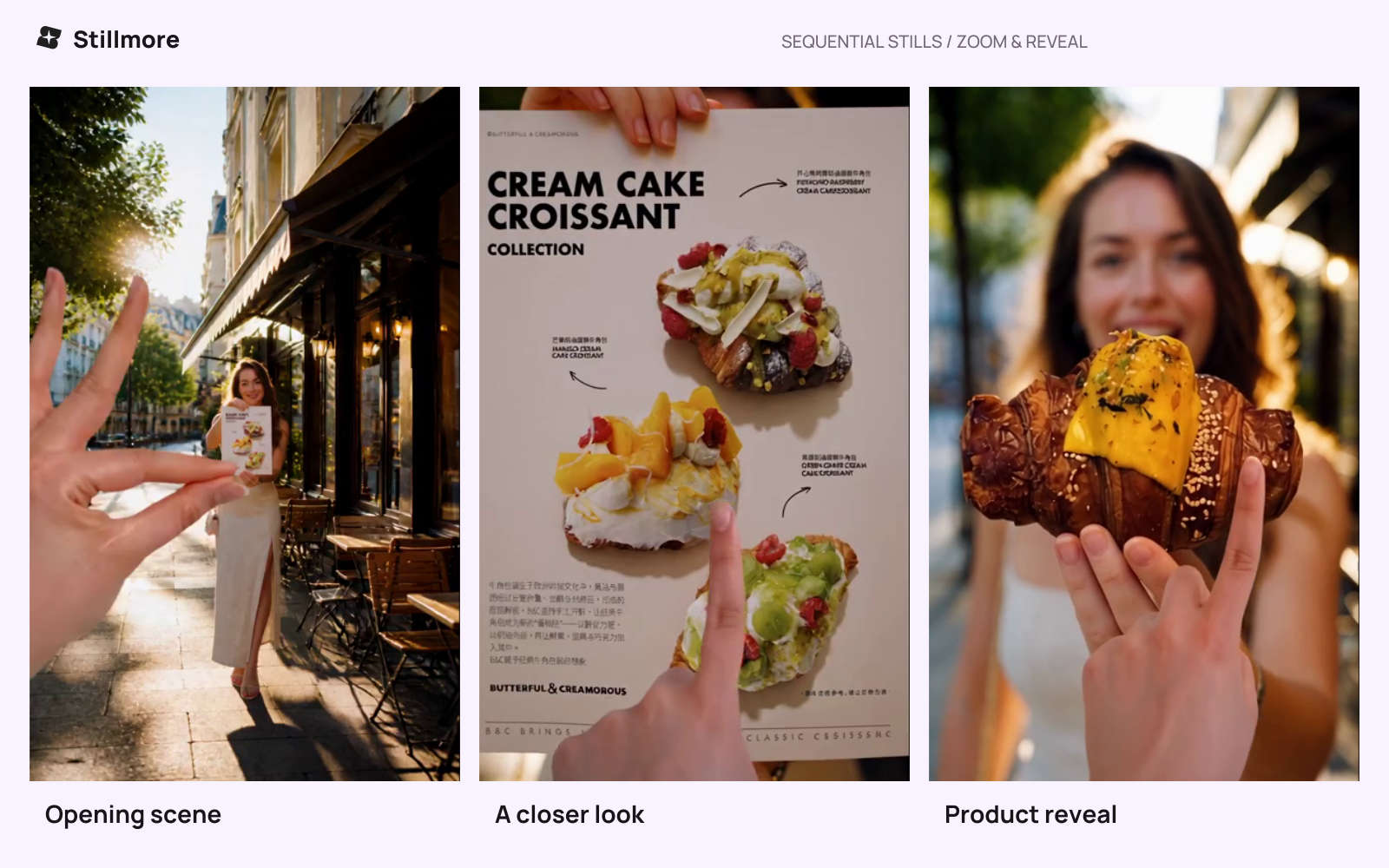
A Stillmore bakery sample moves from the menu to the pastry, giving viewers a closer look at the food.
When a Photo Is Enough, and When Video Adds Something
A photo is often enough for opening hours, a menu update, or an item customers already recognize. Video earns its place when showing things in sequence makes them more appealing or easier to understand. A wide view can introduce the shop before moving to its signature product. A detail can hold attention before the whole item appears. Choose the format around the buying question. A cafe does not need an elaborate clip to announce a closing time, and a service with several important conditions may need a fuller explanation than a quick promotional post can carry.
| What you want customers to notice | A useful format | The next step to make clear |
|---|---|---|
| Today's opening hours or available flavors | A readable image with a caption | When and where to visit |
| The filling, finish, or design of one product | A short video with a closer view | Ask for the item or open its product page |
| What a more involved service includes | A longer explanation or detailed page | Read the details before booking |
Keep the offer consistent across the post and the place it sends people. If the video shows a particular color, link to that product rather than a crowded homepage. If it shows a seasonal dish, check that the dish is still available when you publish. These small decisions can remove friction between interest and an order. They also make a disappointing result easier to understand. People may like the creative but leave because the product is sold out, the booking route is unclear, or the offer does not suit them.
What Could Your Business Show This Week?
A cafe could feature the drink people keep asking about, with a close view of its layers and a caption naming the location. A boutique could show a jacket worn with an everyday outfit, then bring its fabric into focus. A small product brand could present an item alongside the thing it is used with, so its purpose is immediately clear. A local service business could introduce the entrance and the space customers will walk into. Pick the version closest to what you already sell and have photos of. This keeps the request small enough to finish rather than turning it into another project waiting for a free afternoon.
Give each example a relevant next step. "Ask for the pistachio special" belongs with the cafe's featured drink. "See the available colors" suits a product page. "Choose an appointment" belongs beside a working booking route. You can supply that intention in ordinary language; Stillmore can handle the visual treatment and matching copy. The small sequence below is a way to judge the finished result, not a storyboard you need to produce yourself. Can someone identify the subject, notice the worthwhile detail, and understand the invitation at the end? If those answers are clear, the post has a specific job to do.
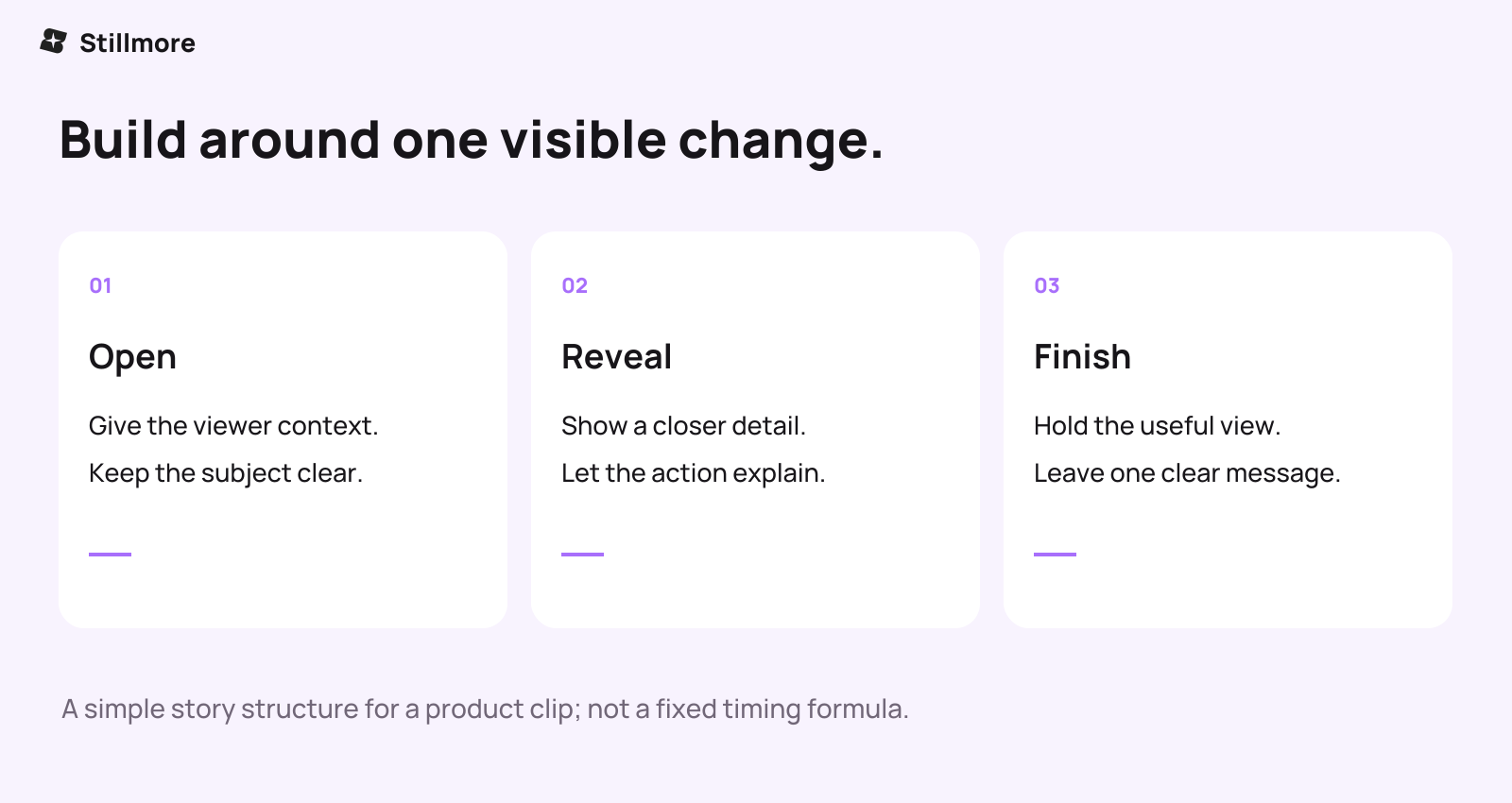
A recognizable product, a detail worth seeing, and a clear finish give a short clip its direction.
Getting Started Without Taking on Another Editing Job
Open your camera roll and find the item customers are asking about now. Select photos that show its actual appearance, including a useful detail when available. Add the product name and what you want people to do after seeing the post. Check the chosen style's material requirements, then hand over that small brief. You can choose an Inspiration yourself or leave ongoing creative selection to the team. There is no need to build a production plan around it. Your knowledge of the product is the part the team needs from you.
Stillmore's creative workflow covers the production and review behind the finished material. When it arrives, check the product details, caption, and destination, then publish it on your account. Keep a simple note of questions, product-page visits, bookings, or orders afterward. Ask new customers where they heard about you, or use a tagged link where practical. Views show that the post was seen; they do not establish sales. If people ask about the featured product, save those questions. They can give the next clip a stronger subject without starting over or changing your whole approach.
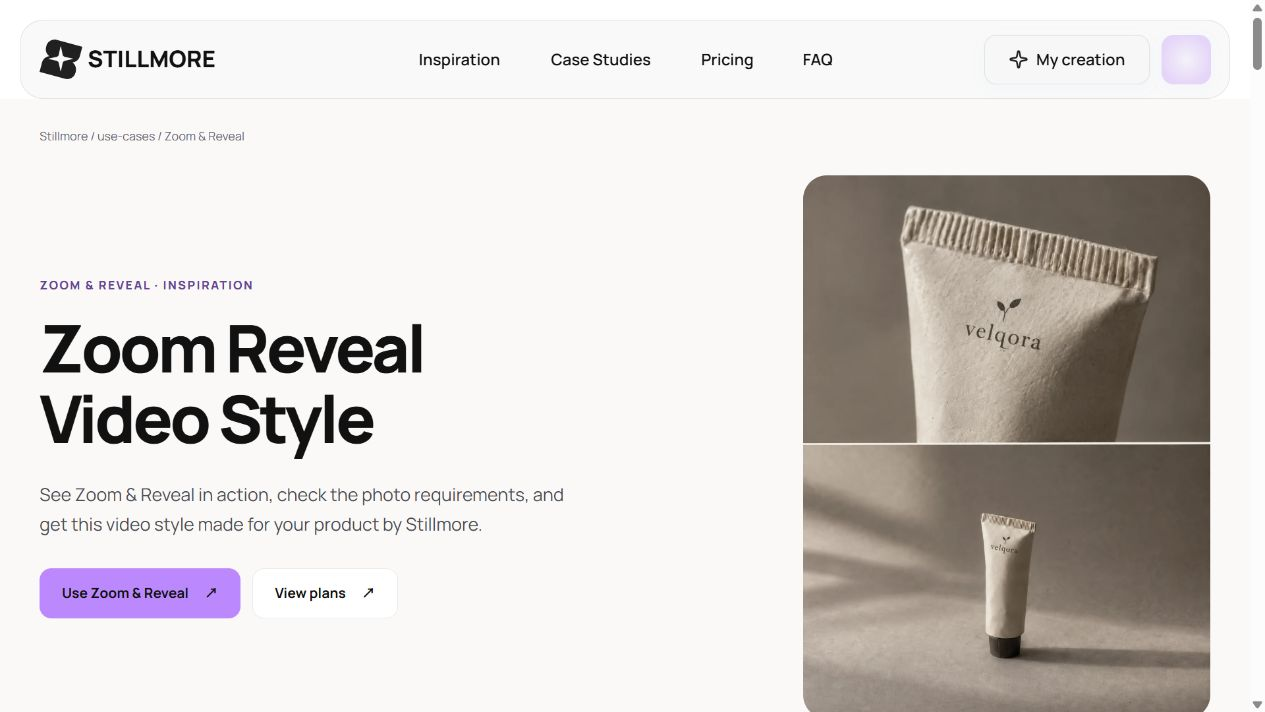
The Zoom & Reveal sample brings a skincare product into focus through close and wide framing.
Conclusion: Give Someone a Reason to Visit
Short-form video gives a product room to be noticed before a customer reaches your shop. Start with something worth showing and an invitation people can act on. When you want the visuals and copy prepared for you, choose a video Inspiration for your product. You supply the photos and business details; Stillmore takes care of production. Judge the finished post by the interest it brings to the item you actually want to sell.
FAQ
Can short-form video bring customers to a small business?
It can introduce a product or place and give people a reason to visit, book, or order. Big Lee's BBQ is a reported example of video attention accompanied by customer visits. A particular result is not guaranteed; track your own inquiries and purchases alongside views.
What should I show if I only sell a few products?
Choose a detail customers inspect, a way to use the product, or a question they ask before buying. One item can support several useful posts when each one shows or explains something different.
How long should my video be?
Use enough time to show the product and make the next step clear. Platform limits vary: eligible square or vertical YouTube Shorts can run up to three minutes. That maximum is not a recommended length for every business clip or a Stillmore delivery specification.
Do I have to appear on camera or learn to edit?
No. A product-focused Stillmore request can start with suitable photos and business information. The team handles production and review, so you do not need to operate editing software or present the clip yourself.
What do I need to send Stillmore?
Provide photos that clearly show the item, its correct name, and any wording or offer details that matter. Requirements depend on the selected style. You can choose an Inspiration or let the team handle ongoing creative choices under your service setup.
Does Stillmore publish the video for me?
You publish the finished material on your own channels. Stillmore produces and checks the content and supplies matching social copy. Before posting, confirm that the product details and ordering or booking route are correct.

About the author
Lan He
I'm Lan. Years of writing promotional and editorial work in the US, mostly for companies with big audiences and bigger expectations — where a single article might reach hundreds of thousands of readers, and where the good ones kept earning traffic long after the campaign ended. I learned what makes a page survive that: one clear audience, one real question, images that show the actual work, and a structure that keeps people reading. Now I write for small business owners who do everything themselves, answering the questions they actually ask: what's worth posting, which photos are worth taking, and how to tell one story across images, video, and words. I've seen good content carry a small company further than its ad budget ever did.
Give them a reasonto stop by.
Send us your phone photos. Get posts ready to share.
See what we can make
Keep exploring
All stories ↗- Social media
Outsource content creation: a small business guide
Outsourcing content creation means hiring someone outside your business to make a specific piece, such as an article or a product video. A café promoting its lunch special, for example, could send Stillmore a clear photo of the dish, its name, and the hours it’s available. The team turns suitable photos into a promotional image or video, writes the accompanying caption, and checks the work before delivery. The café owner checks the details against that day’s menu, then publishes the post. This handoff makes sense when you know what you’re selling and who it’s for, but editing keeps getting pushed aside. If you’re still choosing between bringing people in for lunch and taking advance orders, settle that first so the caption tells customers what to do.
- Social media
What Is Social Media Content? From Views to Customers (2026)
A useful social post gives someone a reason to notice your business and a clear way to buy, book, or visit. This guide looks at a barbecue restaurant with a video exceeding eight million views, a small jewelry brand, and Little Moons, with reported sales results and the context behind them. See what each business showed, which ideas you can borrow, and how to measure interest and orders. You will also see where Stillmore fits when you want your photos turned into finished visuals and captions.