



Burger Advertising for Combos That Match the Menu
SUMMARY
A burger combo ad should show what customers get at the stated pickup price. Follow a McDonald’s example, then use sample captions to price a side swap and calculate how many extra meals would cover your ad spend. To have Stillmore make the creative, send your approved offer, pickup link and matching shop photos.
Contents

Your $10 pickup lunch comes with fries, but the burger photo you want to run shows onion rings. At Stillmore, we use suitable shop photos to make promotional creative, and that side swap changes which photo belongs next to the price.
For burger advertising that leads straight to an order, show the complete standard meal at its standard price or put the upgraded price beside the tray with rings. A burger close-up works when the deal is for the burger alone. Before paying for reach, build the pictured order on your phone using the advertised store and pickup menu. Use that price and side on the paid ticket your crew packs from.
Choose What Goes in the First Frame
For a burger sold on its own, use a close crop that shows the actual toppings. Keep separately sold sides and drinks out of the main grouping. Use the same item name that appears on the pickup menu so a customer can find the burger after tapping the ad.
Show the whole meal at a single price
For a one-price lunch, keep the burger, small fries and drink in the first crop. Label the tray shot as the portion reference in your Stillmore brief. Use a second frame for a close-up of the burger.
Check the edges before you send the photo. A second burger behind the first makes a lunch for one look like a deal for two. A large cup can suggest a bigger drink than the menu includes. Take the reference photo from the tray your crew would hand to a customer who ordered the standard meal.
Price the featured upgrade in the image
Put the full upgraded price beside any tray that features onion rings. Run the fries photo to advertise the lower price. A small “upgrade available” line below the base price leaves the shopper to work out what the pictured rings cost.
Match the Ad to the Pickup Menu
McDonald’s presented meal deals as part of a wider value program in its January 7, 2025 McValue ad. Its April 2, 2026 rollout announcement put numbers and terms on specific meals. For the April 21 rollout, it advertised a $6 McDouble meal and a $5 McChicken meal, each with four nuggets, small fries and a small soft drink. Those advertised offers applied at participating restaurants, some of which could charge more, and excluded delivery.
The McDouble Meal Deal page shows the limited-time bundle and an in-app ordering entry for pickup. It also carries a general note that McDelivery prices may be higher and additional fees may apply. For your own ad, take the next step at the store that will fulfill it. Put the advertised bundle beside the local pickup order and check what a customer is asked to pay.
Write the price as pictured
Oak Street is a fictional burger shop running a weekday pickup lunch. Its $10 meal includes small fries. Swapping them for onion rings costs $1.50. Choose the line that matches your photo.
Standard meal · Oak Street pickup lunch · $10 before tax. Single cheeseburger, small fries and a 12 oz fountain drink.
Upgraded meal · Oak Street pickup lunch as pictured · $11.50 before tax. Single cheeseburger, onion rings and a 12 oz fountain drink. Fries combo $10.
Build the same order on your phone
Copy the row below into the brief and give a copy to whoever sets up or checks the offer in your point-of-sale system. Replace the sample item name with the exact menu item or code your staff recognizes. Use the location name customers see in the ordering menu, especially if you have several stores.
Oak Street location · Pickup · Weekdays 11 a.m. to 2 p.m. · Pickup Lunch Combo · Single cheeseburger, small fries and a 12 oz fountain drink · Rings swap +$1.50 · $10 standard or $11.50 as pictured before tax · Check applicable tax and fees at checkout · Link to the same store’s pickup combo.
Open the link from a phone as a customer would. Select the advertised location and pickup, then check that the item is available during the stated hours. For an offer that ends at 2 p.m., check whether the menu uses the time the customer places the order or the scheduled pickup time. Write that rule next to the hours. Add the meal with fries and note the subtotal. Switch to rings and check what the price changes to. Continue to the checkout total to see applicable tax and any fees. If the link opens a location picker, make sure a shopper can still reach the eligible store and item easily. Give the counter crew the caption and photo so they can flag a price question or a problem finding the deal.
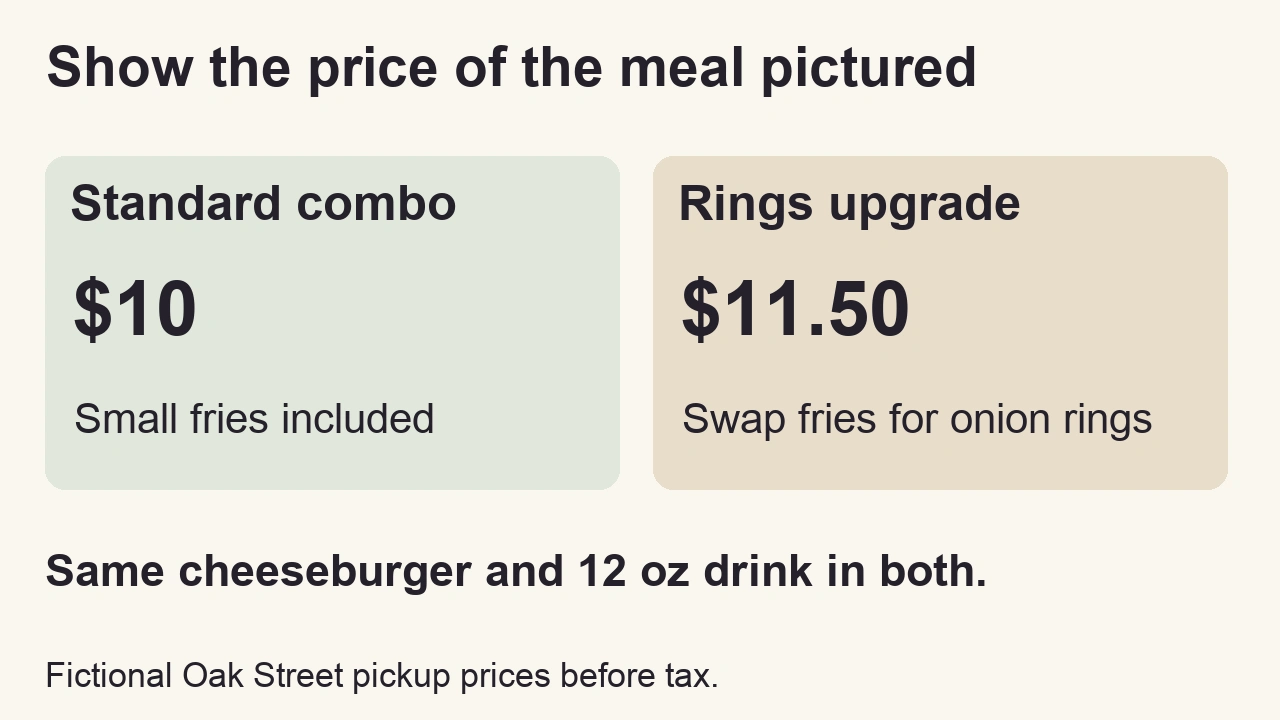
Illustrative pickup prices. The full combo as pictured is $11.50 when the customer chooses onion rings.
Prepare the Combo Photos and Production Brief
For burger combo deal advertising, send the confirmed store, eligible hours and pickup link to Stillmore along with the menu item name, portions and prices. Label the burger close-up, full fries meal and separate rings reference. Send a photo of the shop’s $10 tray as served, with the small fries and 12 oz drink in view. For a photo from an outside photographer or supplier, note its filename and confirm you can run it in paid social ads before sending it to the team. If the fries carton hides most of the drink, include a second angle that shows the cup size.
For the standard meal, the direction can be short. “Open on the whole tray. Keep the burger, small fries and 12 oz drink visible. Use the $10 pickup line.” Send the full upgraded price with the rings photo. Our team uses those details to choose the composition and make a finished image or short video with copy. See Stillmore’s creative workflow.
Check the delivered frame at phone size
Stillmore checks the finished piece against your materials before delivery. When you review it, compare the toppings, side and cup with the meal your crew serves. Play a video from the start with sound off to see whether you can read the pickup price before the first cut. Preview a still in its intended placement so you can see whether the crop keeps both the price and the food visible.
Your shop confirms the terms and destination, then posts or places the ad. Give the person running it the verified link and the date to take it down. Save the approved creative beside the offer row so whoever checks sales can see the price and photo customers saw. For the handoff, see what Stillmore’s production service includes.
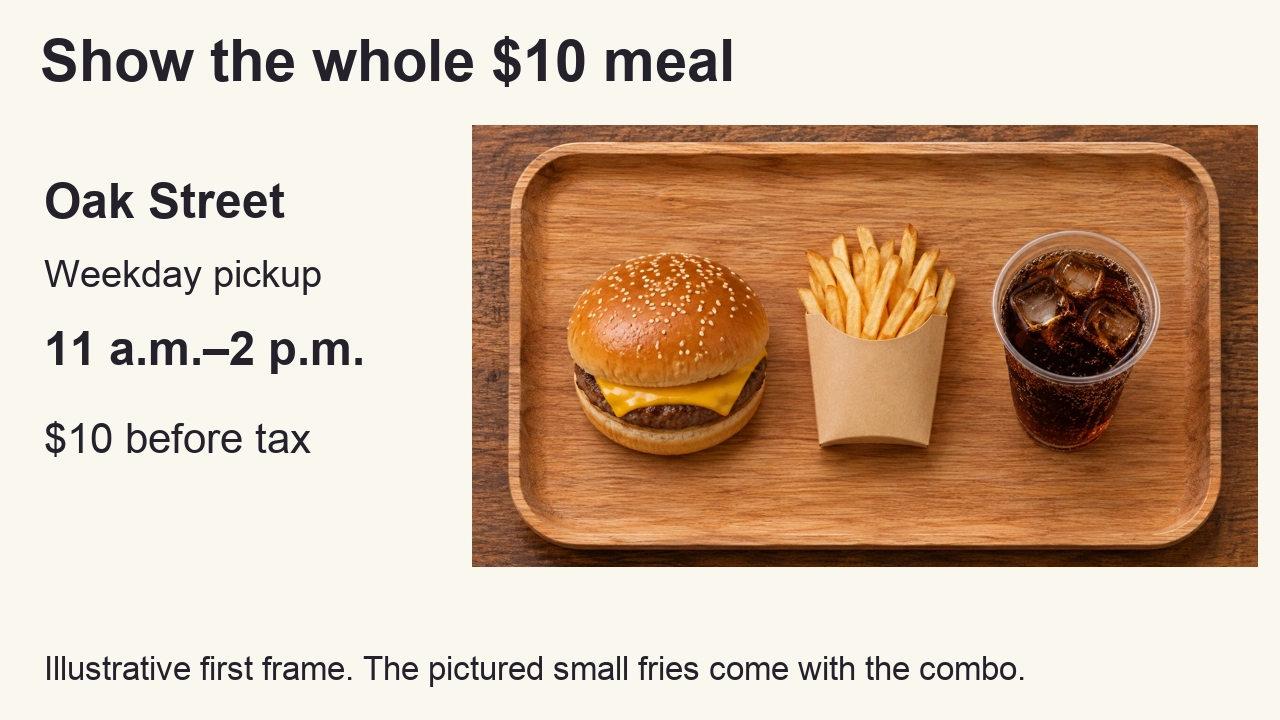
Illustrative ad for the standard combo. The pictured burger, fries and drink all come with that price.
Show the onion-ring upgrade in the first frame
For the Oak Street upgrade, keep the cheeseburger and 12 oz drink in view. Put the rings where the fries sat. Fit “$11.50 before tax” beside the tray and keep “Weekdays 11 a.m. to 2 p.m.” visible. Open both versions on your phone and check that the photo and price identify the side at a glance.
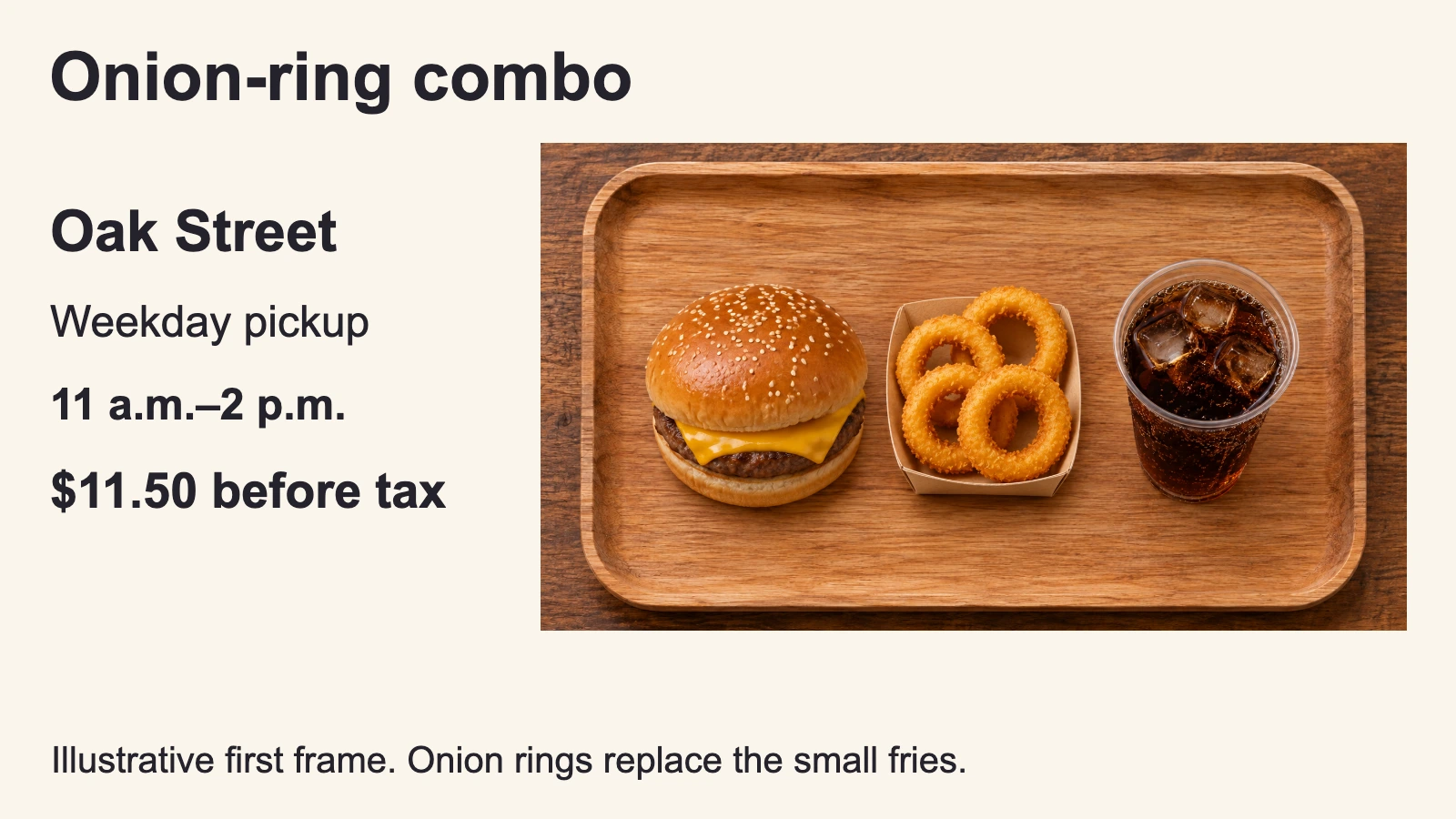
Illustrative first frame for the upgraded combo. The $11.50 price includes swapping small fries for onion rings.
Decide Whether the Ad Earned Its Spend
Use the same side names at checkout and on the kitchen ticket. “Small fries included” names the default. “Swap fries for onion rings +$1.50” tells a shopper and the cook what changes. A cart with one of each should show a $10 line and an $11.50 line. The subtotal is $21.50 before tax and any fees, with the surcharge applied once.
Have the shift lead check a ticket for that mixed order before running the ad. Have the lead read the side selections back to the kitchen from the mixed paid ticket. It should show one fries meal and one onion-ring swap, so the kitchen makes one portion of rings. If the ticket lists only “upgrade,” update the side option so the ticket says “onion rings,” then check a fresh mixed ticket before the ad goes live.
Check the paid ticket before packing
Have the person bagging the order match each combo on the paid ticket to its side. A two-combo ticket with one swap calls for one portion of fries, one of rings and two drinks. If the bag has fries where the ticket calls for rings, send it back to the kitchen before handoff. When rings run out, offer to refund the $1.50 for a fries substitution or cancel the affected meal. Correct the receipt and pause the rings ad.
At closing, tally quantities from unique paid order IDs and their combo lines. Track fulfilled fries and rings meals separately. Keep canceled and fully refunded meals in the log and out of the paid, fulfilled counts. Six fries meals and four rings meals before any refunds total $106 before tax and fees, including $6 in surcharges. For a refund of just one upgrade, log the side served and subtract $1.50 from the surcharge tally. Compare the surcharge you keep with the additional cost of serving rings.
Verify the campaign tag on a test order
If your ordering system can save a campaign tag per order, set up a pickup link or code just for this ad. Place one test pickup order using it before launch. Open the test order in your shop’s ordering dashboard and treat the tag as verified only if the promotion or source details show the exact short code you set for this ad. Tally fulfilled meals from paid, tagged orders, excluding tests, cancellations and refunds. If you can’t verify order tags, compare fulfilled counts at the same shop in similar weekday pickup windows with the ad on and off to estimate added orders.
Calculate the break-even order count
In a separate Oak Street example, $10 in net sales before tax minus $5.80 for food, packaging, transaction fees and variable labor leaves $4.20 per added fries combo. A $42 ad needs ten additional standard meals to break even. Twelve tagged, fulfilled meals come to $3.50 per tagged meal. If a comparable lunch suggests four would have sold anyway, eight added meals contribute $33.60, leaving you $8.40 short. Eleven added meals would leave a surplus.
Use the rings surcharge you kept and the actual side costs to work out the rings meal’s contribution. When a regular customer trades up from fries, count the difference in contribution between the two meals. Correct any checkout or side mismatch before paying for more reach. Pause when added contribution falls below your ad spend.
Conclusion: Check the Combo Before Paying for Reach
Once the price and portions match the pickup order, give Stillmore the approved offer and a photo that shows it. Check both prices in the live pickup cart and have the crew reconcile each paid side with what they packed. When your offer row is ready, browse creative directions in Inspiration to choose how you want the tray shown.
FAQ
What price goes on an ad showing upgraded rings?
Put the full price of the pictured meal on the visual. If the fries combo is $10 and the rings swap costs $1.50, label the meal shown $11.50 before tax. You can still name the $10 fries combo separately.
Can a pickup combo ad send shoppers to delivery?
Use the pickup link for a pickup-only deal. For a delivery version, check the bundle and upgrade on that channel first. Use the delivery menu’s price and check which fees the customer will see before promoting it.
Does a tagged sale count as an extra order?
A tag connects a sale to the ad. Compare fulfilled combos with a similar lunch when the ad was off to estimate how many meals it added. If a customer would have bought fries anyway, count only the change in contribution from their rings upgrade.
About the author
Maya Brooks
I'm Maya Brooks, and I write about content strategy and social media planning for small businesses. Most of what I cover starts with a simple question: what should this piece of content help a customer understand or do? My work here covers content calendars, creative briefs, campaign messaging, and repurposing the photos and clips a business already has. The practical problem is usually not a shortage of ideas but deciding which ones fit and how often to publish them without the routine collapsing. I keep one rule: when I describe a workflow, I say which parts I have run myself and which parts I am summarising from documentation or a business owner's account. You should be able to tell the difference on the page.
Give them a reasonto stop by.
Send us your phone photos. Get posts ready to share.
See what we can make
Keep exploring
All stories ↗- Social media
Stillmore vs Vidpros: Photos vs Video Editing (2026)
Written for small business owners and lean teams deciding how to outsource ongoing social content, this guide compares Stillmore and Vidpros using official plan terms verified on November 18, 2026. It breaks down how photo-first image and short-video production starting at $29/month compares with raw-footage video editing subscriptions starting at $1,000/month across eight dimensions, pricing economics, pros and cons, scenario verdicts, and six FAQs.
- Social media
What Are TikTok Ads? In-Feed Formats and Creative Guide
TikTok ads are paid placements delivering video, image, or interactive product content across feeds, search, and partner placements. This guide focuses on auction In-Feed Ads, covering Spark and Non-Spark formats, file specs, budget settings, and pre-launch creative preparation. Independent merchants learn how to check product clarity, cleared commercial music, landing-page alignment, and photo-first production before spending on ads.
- Social media
Restaurant Social Media: Plan a Week of Posts From Your Photos
Plan restaurant social media around one business goal, accurate photos and a clear publishing responsibility. A takeout post needs an ordering destination and pickup details; a reservation post needs the right booking page and service information. Choose a voice that fits the venue, whether that is a practical lunch message or a more detailed invitation for an evening out. Name the actual dish and confirm that it is available before describing it. Stillmore's team can use existing photos to prepare images or videos with accompanying captions, while the restaurant retains control of publication. Start with a manageable weekly plan, vary the purpose when reusing photos, and check the finished content against current menu facts. Review destination activity and business records separately, without treating views or clicks as orders.