How to make a store tour video from photos
SUMMARY
Learn how to turn current photos of your store into a brief for a tour video. This guide covers planning a visitor’s route, choosing entrance and interior photos, recording accurate business details, and handing the materials to Stillmore’s team. It includes a photo checklist, an example creative brief and a review checklist for the finished work. See where a cinematic tour differs from an exact walkthrough, what the published Grand Tour materials guide asks for, and what to check in the video and caption before publishing from your own social account.
Stillmore Team
Contents
To make a store tour video from photos, choose a visitor’s route, gather clear images of your actual space, and add the business details viewers need. You can give those materials to Stillmore’s team to produce and check the video, then review the finished tour and publish it yourself.
Quick version
- Choose what visitors should notice.
- Select photos that show the real store.
- Add the business details customers need.
- Choose a direction and submit the materials.
- Review the finished tour and publish it.
Before you start
You need current photos of your business and the details you want customers to know. Use materials you have permission to share. If a person appears, make sure they are comfortable being included in the business’s marketing.
For the Stillmore route, you will choose Grand Tour and follow its material requirements. The photo groups and story sequence in this guide are editorial suggestions. Keep them separate from the required fields shown when you submit.
A logo and a note about your preferred atmosphere can help explain the direction. You do not need to write instructions about video models or production tools. Your part is to make the business, materials and intended message clear.
Make your store tour
Step 1: Choose what visitors should notice
Start with one reason someone would come through your door. A clothing shop might want first-time visitors to see its everyday collection and relaxed fitting area. A café might want to introduce the counter and a quiet place to sit. Choose a focus you can support with the photos you have.
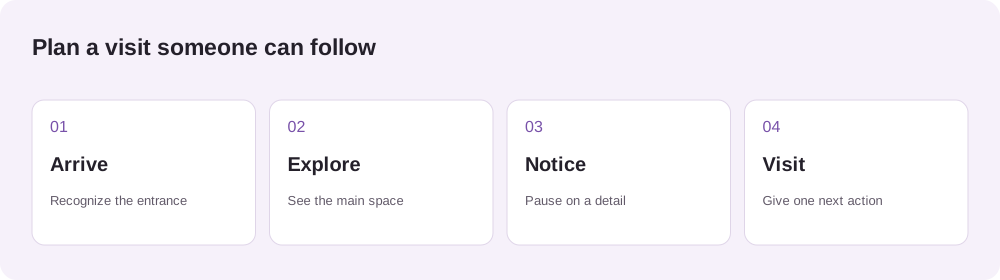
Write a simple route: arrive outside, look around the main space, pause at the detail you want remembered, then invite the viewer to visit. Give each part a job. An entrance identifies the shop; a close-up explains what it sells. Keep the sequence easy to follow even when the viewer has never been there.
You are ready to move on when you can describe the visit in one sentence and name a photo for each part.
Step 2: Pick the photo that shows a visitor where to enter
Which of these would you put first in a tour? Both show Shakespeare and Company in Paris. Look for the shop name, then find the door a first-time visitor would use.
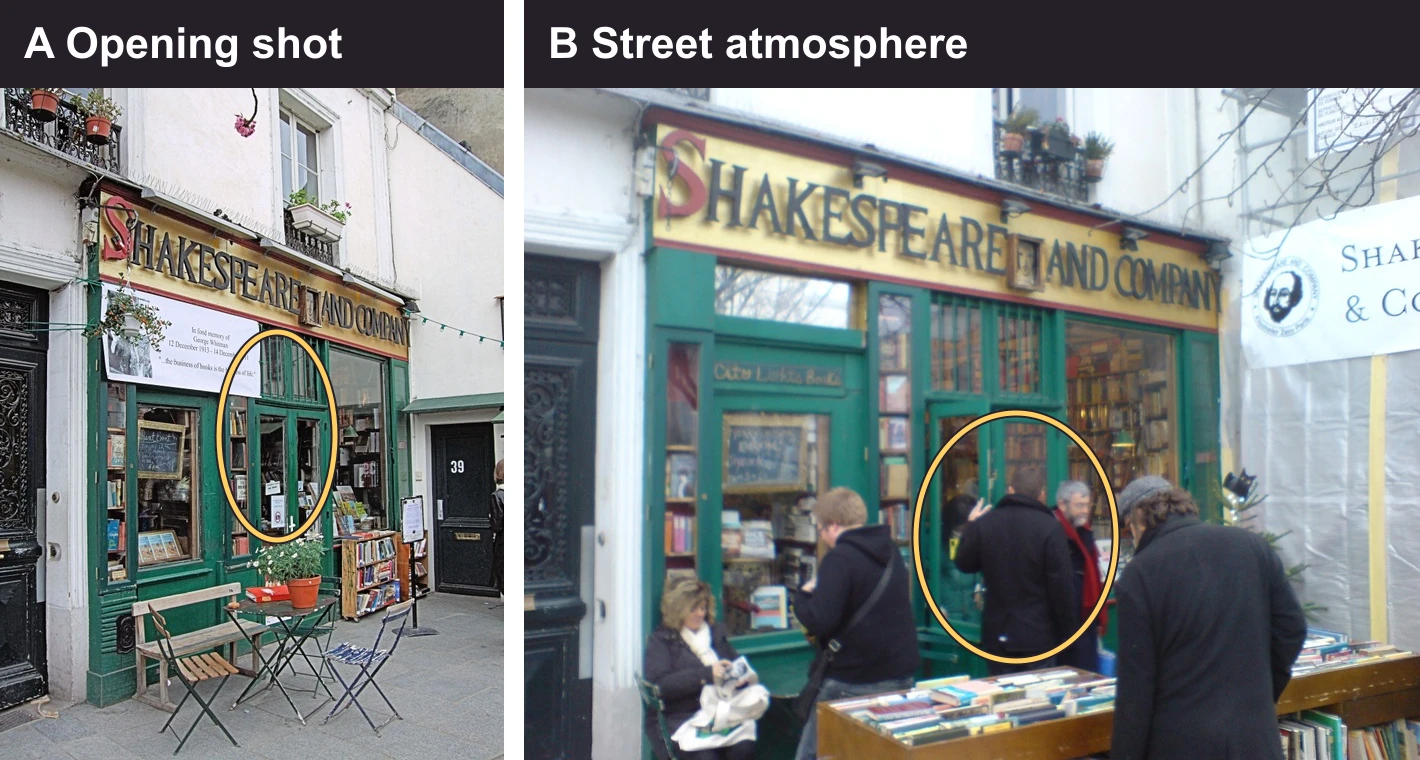
Use A to open the tour. You can trace a path from the yellow sign down to the green entrance beside the books on display. In B the sign is larger, but the people browsing and the table of books draw your eye away from the door. Save B for a later beat if you want to show the street atmosphere.
Photos: A, Jim Linwood, CC BY 2.0. B, Ingolfson, public domain. Photos resized and annotated.


Try the same test with two current photos of your shop. View them at phone size. If a visitor could read the name but still walk past the entrance, step back and retake the shot. Then choose a wide view of the room and close-ups of what you want visitors to notice. The Grand Tour materials guide calls for 20 space and detail images in the main upload field.
Step 3: Add the business details customers need
Put the facts in writing, even if some appear in the photos. Include the exact business name, the location you want mentioned and one next action. If opening hours or an offer will appear in the video or caption, check them against your current business information. Leave out details that may change before you post.
Explain what needs to stay accurate: the color of a garment, the wording on a sign, the way a room looks or a product that must appear. Mention anything that should be excluded. For example, a display visible in an old photo may already have changed.
Use the sample brief below as a starting point. Replace its example details with your own, then check that every requested scene has a supporting photo.
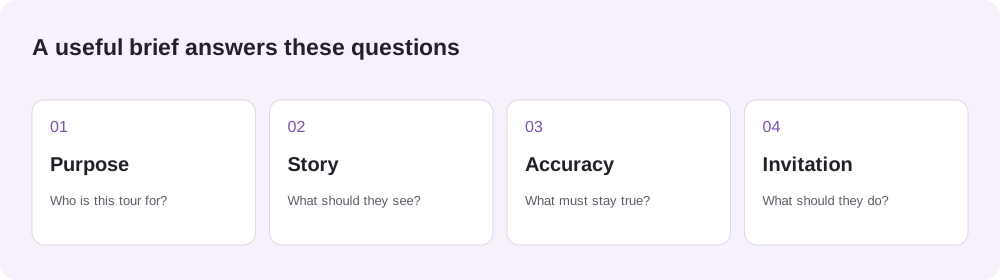
Example brief: a neighborhood clothing boutique

Goal: Help first-time visitors recognize the shop and see what they can browse.
Route: Entrance, main clothing rail, knitwear details, fitting area, invitation to visit.
Mood: Calm and welcoming, with time to notice the clothes.
Must stay accurate: Store sign, garment colors and the fitting area.
Leave out: The old sale display visible in one reference photo.
Final invitation: Visit the shop. Use the current business name and location supplied with the materials.
Step 4: Choose a direction and submit the materials
Watch the Grand Tour examples and decide whether that style fits your store. Look at how the video moves between the space and its details. Tell the team which parts suit the visit you planned and describe the pace you would like. Keep the instructions tied to what your materials actually show.
Open the Grand Tour creation link, follow the current material requirements, and provide your photos and notes. Review the selection before submitting: the photos should belong to the same business, show its current appearance and support the story in your brief.
Stillmore’s team produces and checks the video after the handoff. A cinematic presentation can interpret the space creatively. If you need to document an exact route or floor plan, use footage that records the actual walkthrough.
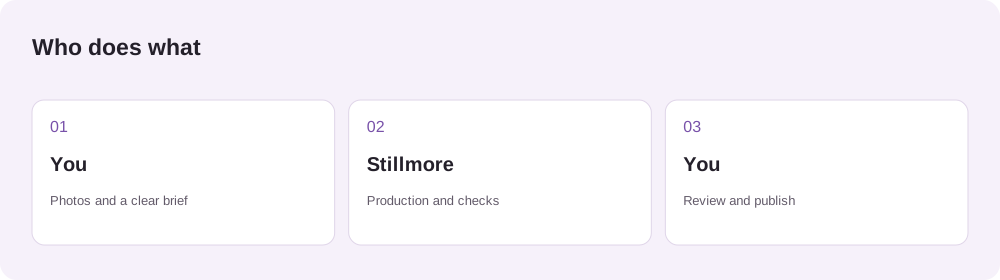
Watch the official Grand Tour example.
Step 5: Check the finished tour against a source photo
Pause the Osteria Sole Grand Tour at 0:03. In the case study’s source photo, the dining room is empty. In the finished shot, guests are seated. To recognize the room across both images, follow the row of framed pictures to the arched partition at the back.
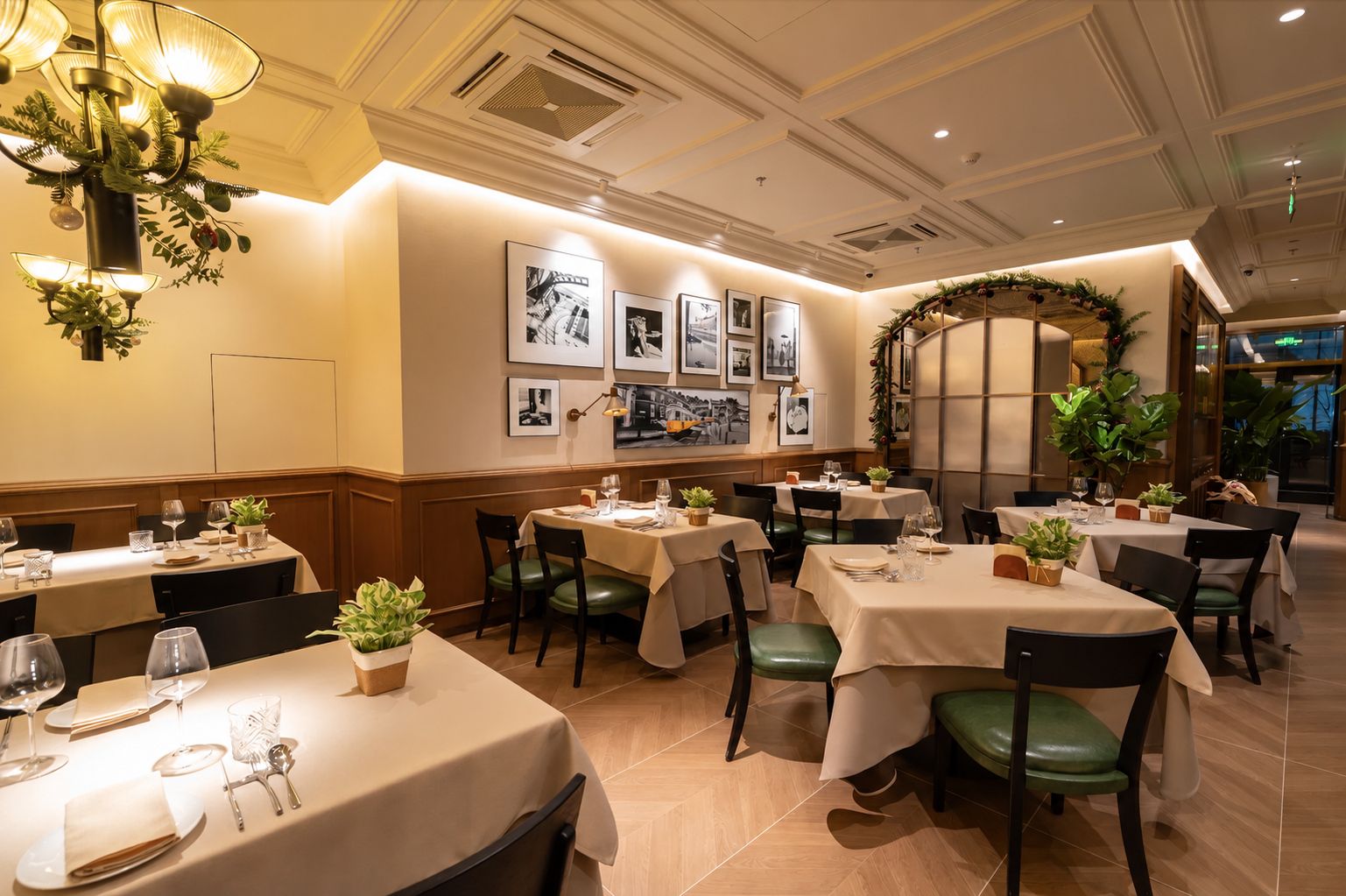
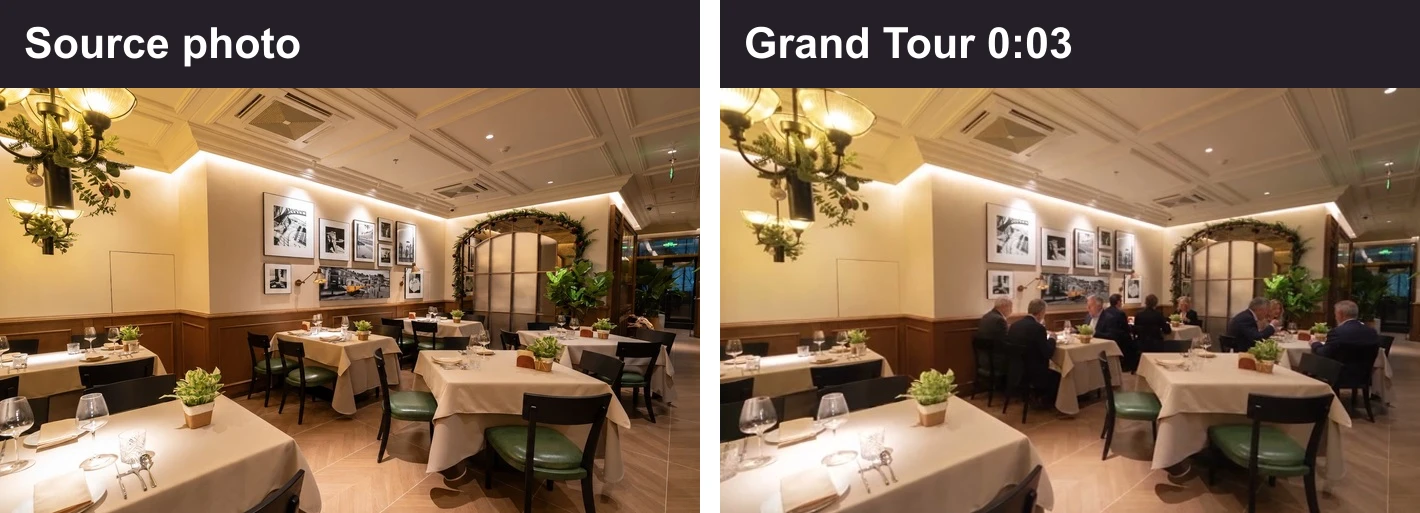
Use one of your own photos the same way. Pause on the matching view and check two details that must stay true. In a clothing shop, that might be the lettering above the door and the color of the knitwear on the front rail. If something changed that would mislead a visitor, send the team the source photo, the timestamp and the correction.
Finally, watch with the sound off on your phone. Can you read the store name and the invitation to visit before the shot changes? Check the caption and the crop in the social app’s post preview, then publish from your own account when the details are right.
Common mistakes
Repeating the same view
A set of similar close-ups can leave viewers unsure what the shop looks like. Compare the selected photos with your planned route and fill the missing views.
Using out-of-date details
An old offer or display can create the wrong expectation. Check dates, prices and products in both the images and the written brief.
Expecting an exact floor plan
A creative tour can interpret the setting. If the task depends on the physical route through the building, record that route directly.
Skipping the post preview
Text can look readable in the file and still be hidden or cropped in a social post. Check the actual destination preview before publishing.
Frequently asked questions
Can I make a store tour video without filming a walkthrough?
Yes. You can use photos of the space and its details as the starting materials for a creative tour. Stillmore’s Grand Tour follows this approach. If you need an exact record of how rooms connect, film the actual route.
How many photos do I need for Grand Tour?
The published Grand Tour guide currently lists 20 images in the main upload field. Check the current requirements in the selected Inspiration before submitting. Include different views of the space and useful details, rather than filling the set with near-duplicates.
Can I use photos taken on my phone?
Yes. Start with clear phone photos that accurately show the business. Check that the subject is in focus and easy to see. Retake images if darkness, blur or reflections hide the details the team needs.
Does the owner need to appear in the video?
You can plan a tour around the space and products without making the owner the subject. If a person is part of your intended story, discuss that in the brief and follow the chosen Inspiration’s material requirements.
Is this the same as a 360-degree virtual tour?
No. This guide is for a video that introduces the store through a sequence of scenes. It does not create an interactive 360-degree environment or a measured record of the layout.
Can I include the opening hours or a special offer?
Include them if they are current and you want them in the creative or caption. Supply the exact wording and any relevant conditions. Recheck them before posting, especially if the video will be reused later.
Will Stillmore post the finished video for me?
No. Stillmore produces and checks the creative and supplies matching social copy. You review the finished work and publish it from your own account.
What should I do if the store changes after the video is made?
Compare the tour with the current space, products and business details. If it would mislead a visitor, prepare new reference photos and an updated brief before reusing the creative.
Start with your store photos
Gather the photos and the brief, then choose the Grand Tour direction that fits your business. Stillmore’s team will handle production and check the creative before you review and publish it.
Related reading: How Stillmore’s creative workflow works.

About the author
Stillmore Team
Stillmore is an advertising creative agency for independent businesses. The studio team produces promotional images, videos, and captions from your business photos.
Give them a reasonto stop by.
Send us your phone photos. Get posts ready to share.
See what we can make