



Restaurant Holiday Promotion Ideas to Make With Stillmore
SUMMARY
Restaurant holiday promotion ideas for independent owners with food photos and little time to make content. Choose from five practical formats, adapt a complete fictional pickup-post example, and plan an announcement, cutoff reminder and sold-out message. Includes photo checks, caption templates and one clear customer action for each promotion.
Lan He
Contents

You have a holiday special ready to serve, but its only photo is still sitting on your phone. Stillmore turns suitable restaurant photos into promotional images or videos with matching captions. Start with the pictures you have: a dish, a packed meal, your dining room, a gift card or your entrance. Match these restaurant holiday promotion ideas to your photos, then use the complete pickup-post example to see what belongs in the image and caption.
Choose restaurant holiday promotion ideas your photos can support
Choose one need you can name, such as filling an early sitting or collecting advance pickup orders. Then check whether your existing photos show what you intend to sell. A close-up of one dish cannot show everything in a family bundle. Give Stillmore the relevant photo and that context. If staff cannot explain the offer in one sentence, settle the offer before commissioning the creative.
Each row has one default action; substitute your actual sales route if the suggested one does not fit, then use it consistently throughout the post.
| Promotion | Useful photo | Use it when | One customer action |
|---|---|---|---|
| Seasonal special | The actual plated dish | Guests book ahead for the relevant sitting | Reserve a table |
| Holiday pickup bundle | The full meal and packaging | You can accept advance orders for a defined pickup window | Place a pickup order |
| Group meal | The actual room and table setup | Staff can respond to date and party-size enquiries | Send a group enquiry |
| Gift card | The card beside a recognizable dish | You already have an online gift-card shop | Buy a gift card |
| Holiday service hours | Your entrance or dining room | Holiday hours differ from your usual schedule | Check the holiday schedule |
Five restaurant holiday promotion ideas to brief
Adapt the caption templates below to your restaurant; none describes a real campaign. Replace every bracketed field with confirmed information. For a destination, use the page that completes that specific action, such as the booking form or gift-card checkout, rather than your homepage.
1. A seasonal special
Choose a dish with something worth showing close up, such as a dessert's filling or the toppings on a seasonal pizza. Send Stillmore a clear view and identify the detail that should remain recognizable. For a playful treatment, the official animated menu reveal video uses a dish photo and the first page of your menu; the dish disappears and returns after a flying-menu sequence. Here, the restaurant wants dinner bookings, so the caption asks guests to reserve.
"Winter pear tart joins our dinner menu from [month/day/year] through [month/day/year], during [service hours]. Reserve your table: [direct booking URL]."
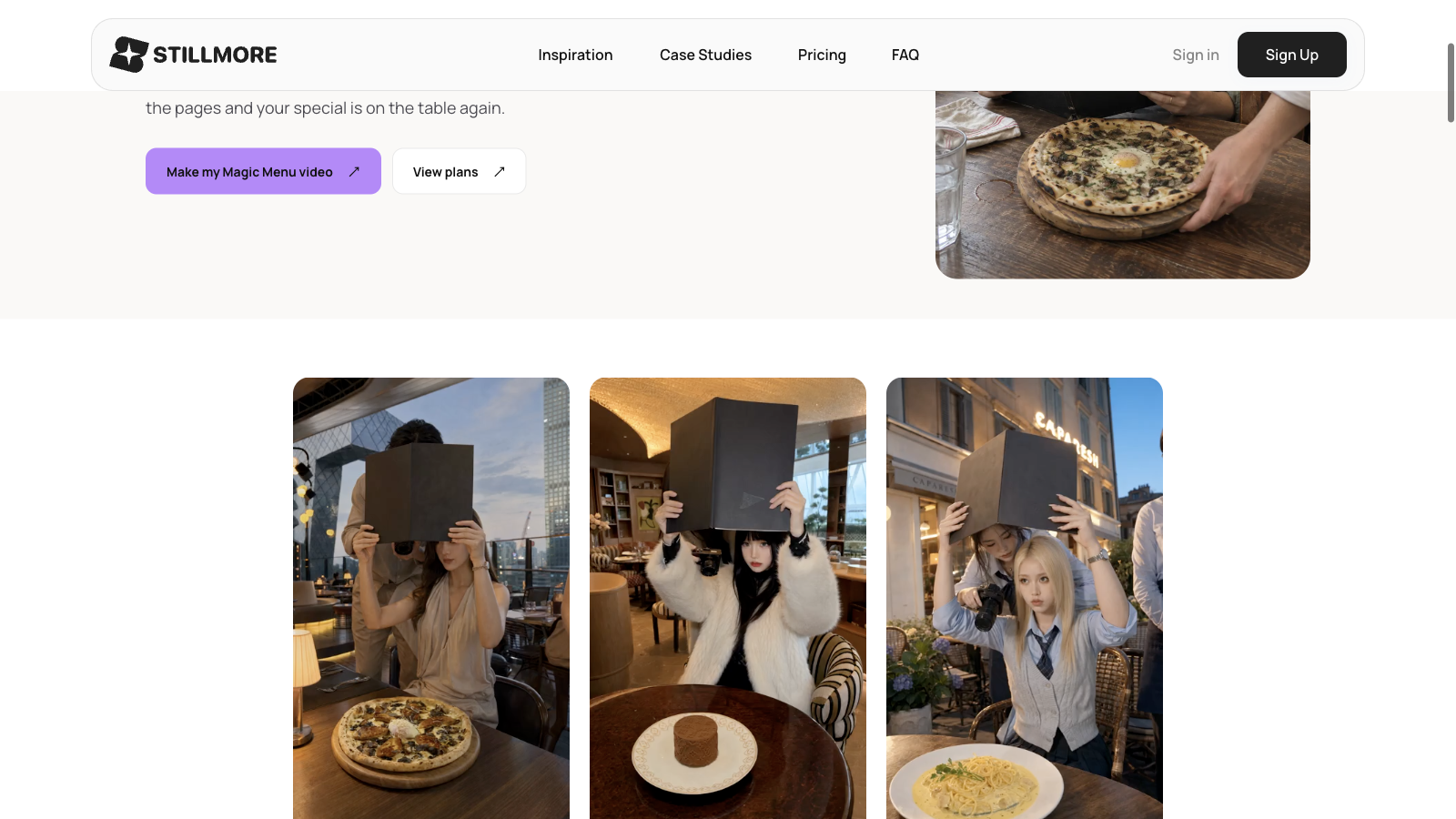 Official Stillmore video stills show pizza, dessert and pasta in the Magic Menu style.
2. A holiday pickup bundle
Show the meal a customer will take home, including its sides and packaging. Specify the serving size yourself; a photo cannot establish how many people the meal feeds. Start with this fill-in caption, then compare it with the worked example below. The example is entirely fictional, including the restaurant, address, offer and price. It demonstrates the information a guest needs; it is not a Stillmore customer result or a suggested price for your restaurant.
"Holiday supper for [serving size]: [main], [sides] and [dessert], [total price]. Order by [month/day/year, time] for pickup on [month/day/year, time window] at [restaurant and address]. Order: [direct order URL]."
- Source photo: A proposed photo of one roast chicken, roast potatoes, winter slaw and an apple crumble in their takeaway containers. Every included dish is visible; nothing outside the bundle appears beside it.
- Image headline: "Holiday supper for four: $64. Pickup December 24."
- Finished caption: "Holiday supper for four: one roast chicken, roast potatoes, winter slaw and an apple crumble, $64 total. Order by December 22, 2026, at 5 p.m. for pickup December 24, 2026, from noon to 2 p.m. at Example Restaurant, 10 Sample Street. Order:
https://example.com/holiday-supper." - Destination: The example.com address is illustrative, not a working order page. In your own post, use the live checkout for this bundle and check that its inclusions, total and pickup window match the caption.
3. A small group booking
Choose a view showing the table arrangement you can actually provide. A store tour video from photos can help a host understand the space; the linked guide explains which views to gather for Stillmore. Specify whether the room is private or shared, and send enquiries to a form or inbox that someone monitors. This action starts a conversation, so do not phrase it as a confirmed reservation.
"Planning a team holiday dinner between [start date, year] and [end date, year]? Our [shared dining area/private room] accommodates [confirmed party size]. Send your preferred date and guest count: [group enquiry URL]."
4. A gift card reminder
Use the actual card or packaging beside a recognizable dish, without implying that the pictured meal is included. Tell Stillmore where customers buy the card so the caption matches that route. Use your existing online checkout for this example. Keep any conditions consistent with your existing gift-card offer. Someone who already likes your food may simply need to know that you sell gift cards. An extra bonus or discount is a separate business decision, not something the caption needs to invent.
"Give someone dinner to look forward to. Our [digital/physical] gift cards are available online from [start date, year] through [end date, year]. Buy a gift card: [direct gift-card checkout URL]."
5. Holiday hours and last orders
Your entrance photo identifies the restaurant while the caption answers when people can visit. Tell Stillmore whether the message concerns dining, takeaway or both. Keep a different pickup cutoff in its own post if it would make this schedule confusing. Publish exact dates, including the year, rather than "tomorrow" or "next week": someone may find the post after it was shared. The action here is checking the schedule, so use a page containing the holiday hours and keep that page current.
"Holiday dining hours: [month/day/year, opening and closing times]; [month/day/year, closed]; reopening [month/day/year, time]. Check the full holiday schedule: [holiday hours URL]."
Prepare the holiday content with Stillmore
Once you have chosen the offer, the Stillmore creative production workflow lets you choose a direction or leave suitable choices to the team. The team makes and checks the images or videos and supplies captions. You publish on your own channels. Mark which details are final and tell the team if a dish or date changes. For restaurant holiday social media posts, send:
- The source photos, with the items in each image identified.
- The offer's exact name, inclusions, serving size and applicable price.
- The order cutoff, service or pickup dates, and any conditions affecting the guest's decision.
- One customer action and its working destination.
In the fictional supper example, the bundle photo supports the image headline, and the caption supplies the full ordering details. Before posting the finished piece, open the checkout as a customer would. Confirm the correct bundle is available, the pickup window is selectable and the restaurant can fulfil another order. If substitutions become necessary, change the offer wording before accepting more orders.
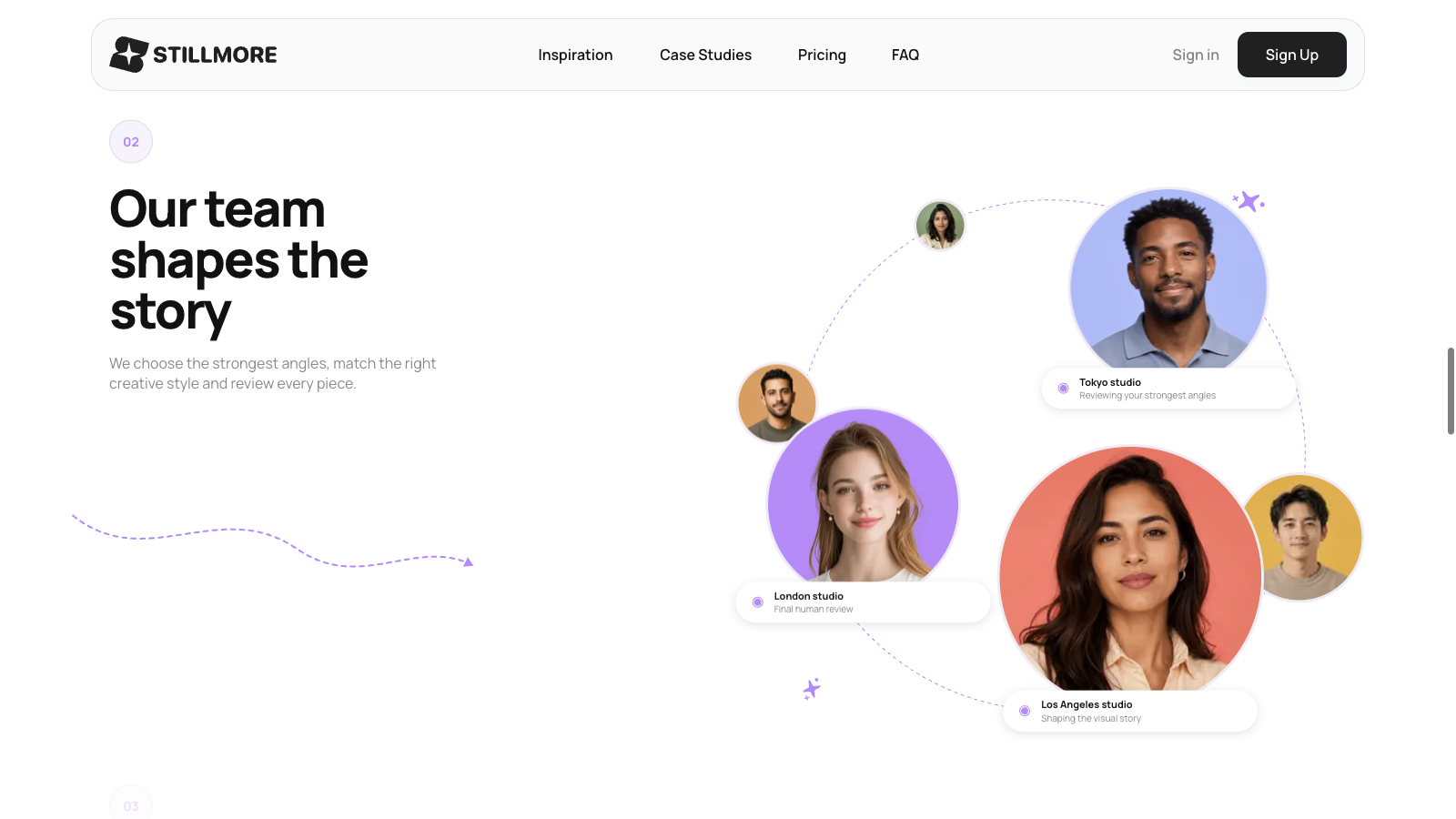 Stillmore's website describes choosing a creative style and reviewing every piece.
Announce, remind and close the offer accurately
Use the same offer for the announcement and reminder, then close it when you can no longer accept orders. The schedule below continues the fictional pickup example; it is a planning illustration, not a tested posting frequency. Check whether you can still accept orders before each post. Give Stillmore the initial brief early enough for preparation and review, and confirm service timing before relying on a particular deadline.
| Stage | Publish only when | Message and action |
|---|---|---|
| Announcement | The bundle details and checkout are ready | Use the complete caption above. Action: place a pickup order. |
| Cutoff reminder | Before December 22, 2026, at 5 p.m., with capacity remaining | "Holiday supper orders close December 22 at 5 p.m. Pickup is December 24, noon to 2 p.m. Order: [bundle checkout URL]." |
| Sold out | The allocation is full, even if the cutoff has not arrived | "Our December 24 holiday supper is sold out. Thank you to everyone who ordered." Remove the ordering CTA and stop further reminders. |
Check the offer before publishing
Check the dish against your source photo and read the image headline beside its caption. Google Business Profile posts support updates, offers and events; offer posts require a title and dates and times. Choose the type matching your message and complete its details. Google also lets you set special holiday hours without changing the regular schedule. A holiday image does not replace that update.
Record the response to the one action you chose. For the supper, count bundle orders and note preparation load or food left over. For group meals, record enquiries and confirmed bookings separately. More views mean more attention; they do not establish that the promotion caused extra sales. Review unanswered customer questions, too. Repeated questions about pickup time suggest that the next Stillmore brief should give that detail more space.
Conclusion
Useful restaurant holiday promotion ideas connect a real offer, a clear photo and one customer action. Choose one of the five formats, complete its caption and check the destination before sharing it. For help turning your photos into holiday creative, explore restaurant video marketing with Stillmore. Keep the announcement, cutoff reminder and sold-out message consistent with what your restaurant can actually serve.
Frequently asked questions
What is an easy holiday promotion for a small restaurant?
Start with an existing seasonal dish or established pickup offer. Gather a clear photo, confirmed dates and a working order or booking destination before preparing the post.
Do restaurant holiday promotion ideas need a discount?
No. A seasonal dish, advance pickup option or group menu can give guests a reason to choose you. Explain what they receive and how to order.
Can I use existing food photos with Stillmore?
Yes, if they suit the creative direction and still represent what you serve. Replace photos when the portion, presentation or included items change, and provide the current offer details.

About the author
Lan He
I'm Lan. Years of writing promotional and editorial work in the US, mostly for companies with big audiences and bigger expectations — where a single article might reach hundreds of thousands of readers, and where the good ones kept earning traffic long after the campaign ended. I learned what makes a page survive that: one clear audience, one real question, images that show the actual work, and a structure that keeps people reading. Now I write for small business owners who do everything themselves, answering the questions they actually ask: what's worth posting, which photos are worth taking, and how to tell one story across images, video, and words. I've seen good content carry a small company further than its ad budget ever did.
Give them a reasonto stop by.
Send us your phone photos. Get posts ready to share.
See what we can make
Keep exploring
All stories ↗- Social media
Outsource content creation: a small business guide
Outsourcing content creation means hiring someone outside your business to make a specific piece, such as an article or a product video. A café promoting its lunch special, for example, could send Stillmore a clear photo of the dish, its name, and the hours it’s available. The team turns suitable photos into a promotional image or video, writes the accompanying caption, and checks the work before delivery. The café owner checks the details against that day’s menu, then publishes the post. This handoff makes sense when you know what you’re selling and who it’s for, but editing keeps getting pushed aside. If you’re still choosing between bringing people in for lunch and taking advance orders, settle that first so the caption tells customers what to do.
- Social media
Short-Form Video Explained: From Views to Visits (2026)
You have products worth showing, but making a video is another job on an already full day. Start with the detail a customer would stop to look at: a pastry's filling, a jacket's texture, or the space they could book for dinner. This guide pairs a real restaurant example with practical ideas for your own business, explains when a photo is enough, and shows what to send Stillmore so the team can handle production. You will also know which inquiries and orders to track after posting.
- Social media
What Is Social Media Content? From Views to Customers (2026)
A useful social post gives someone a reason to notice your business and a clear way to buy, book, or visit. This guide looks at a barbecue restaurant with a video exceeding eight million views, a small jewelry brand, and Little Moons, with reported sales results and the context behind them. See what each business showed, which ideas you can borrow, and how to measure interest and orders. You will also see where Stillmore fits when you want your photos turned into finished visuals and captions.